Building an AI-Powered CI/CD Pipeline

Table Of Content
- Building an AI-Powered CI/CD Pipeline
- Introduction
- What is a CI/CD Pipeline?
- How AI Changes the Equation
- Key Use Cases
- Intelligent Test Selection
- Predictive Failure Analysis
- AI-Powered Code Review
- Natural Language Pipeline Configuration
- Building Your First AI-Enhanced Pipeline
- Step 1: Establish a Baseline
- Step 2: Address Flaky Tests
- Step 3: Integrate Deployment Verification
- Step 4: Close the Feedback Loop
- Tools Worth Knowing
- Conclusion
Building an AI-Powered CI/CD Pipeline
Introduction
CI/CD (Continuous Integration and Continuous Delivery/Deployment) are responsible for automating everything from building and testing code to shipping it into production. As codebases scale and release cycles grow shorter, however, the traditional approach starts to show its limits. Test suites that once ran in minutes begin taking an hour. Flaky failures consume engineering time that should be spent building. Deployments break in ways that staging environments never predicted. The typical response — more parallelism, better caching, smarter infrastructure — addresses symptoms without touching the underlying problem, which is that traditional pipelines treat every commit the same regardless of what actually changed.
Artificial intelligence offers a fundamentally different approach. By training models on the historical data that your pipeline already produces, you can move from a system that blindly reruns the same test suite on every push to one that predicts which tests are relevant to a given change, catches anomalous deployments before they reach users, and learns from every failure it encounters. In this post, we'll walk through what that looks like in practice and how to build it incrementally on top of what you already have.
What is a CI/CD Pipeline?
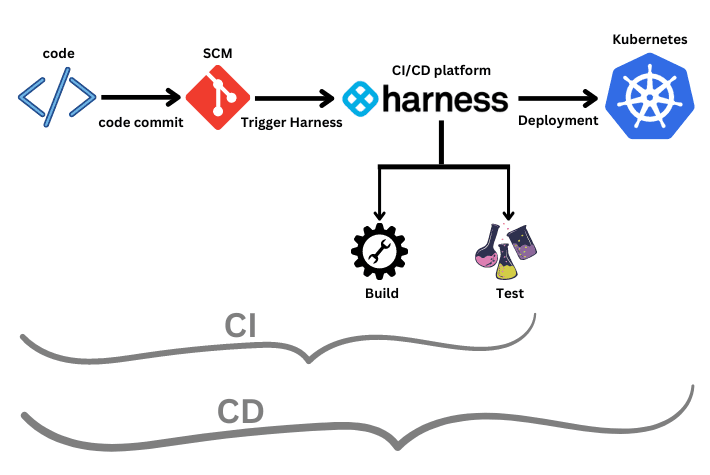
Before layering any intelligence on top, it helps to know exaxtly about what we're working with. Continuous Integration (CI) is the practice of automatically building and testing code every time a developer pushes a change, so that integration problems surface in minutes rather than weeks. Continuous Delivery (CD) extends this by automating the path from a passing build to a deployed artifact with the premise being that if your tests confirm something is safe to ship, the system should ship it without a manual handoff.
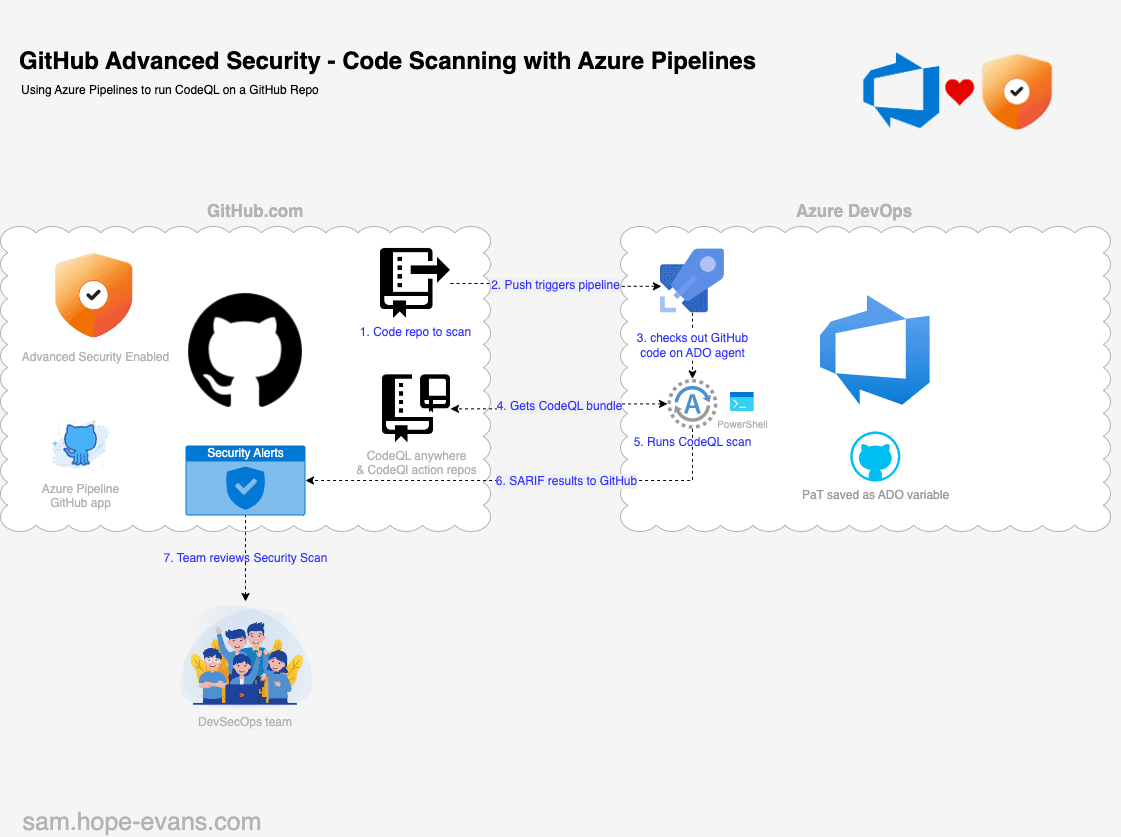
In a typical pipeline, a push to a repository triggers a build on a CI server such as GitHub Actions, Jenkins, or GitLab CI. Tests run against that build, and if they pass, the artifact is packaged and promoted through your environments until it reaches production, where health checks confirm the deployment succeeded. The challenge is that pipelines accumulate complexity over time by thousands of tests, dozens of deployment targets, enormous volumes of log data where that complexity is where traditional static approach starts to break down.
How AI Changes the Equation
The core principle behind AI-enhanced pipelines is straightforward; use machine learning models trained on your pipeline's own historical data to make smarter decisions at every stage. Rather than running every test on every commit, a model trained on the relationship between changed files and historical test failures can predict which subset of tests is actually relevant to a given change. Rather than waiting for a bad deployment to trigger an alert, an anomaly detection model trained on your deployment history can flag releases that deviate from normal behavior before they cause customer impact.
The result is a pipeline that is faster, more reliable, and more cost-efficient, not simply because of additional infrastructure, but because it is actively learning from its own track record.
Key Use Cases
Intelligent Test Selection
Test selection is where most teams see the most immediate and measurable return. In a large repository, running the full test suite on every commit can take anywhere from 30 to 90 minutes, and the majority of those tests are checking code that was never touched by the change in question. AI-powered test selection addresses this by analyzing the relationship between changed files and historical test failures, combined with code coverage maps that link source files to the tests that exercise them. A model trained on this data can predict with high confidence which subset of tests is worth running for a specific change. Tools like Launchable and BuildPulse are built around exactly this capability, and teams using them regularly reduce suite runtime by 50–80% without a meaningful increase in escaped defects.
- name: Run AI-selected tests
  run: |
    launchable record build --name $GITHUB_RUN_ID
    launchable subset --target 30% pytest > test_subset.txt
    pytest $(cat test_subset.txt)
Predictive Failure Analysis
A build that passes every test can still fail in production, because tests can only verify what someone thought to check. A new version might behave differently under real production load, interact unexpectedly with a downstream service, or surface a configuration edge case that staging never exercises. Predictive failure analysis addresses this gap by training anomaly detection models on your deployment history — metrics such as error rates, latency, memory usage, and CPU — and using them to flag releases that look statistically unusual before they cause real damage. Rather than simply verifying that a service is responding, this kind of verification understands what normal looks like for your specific system and raises a signal when something deviates from it. Harness includes ML-powered deployment verification that can automatically roll back a release when the model detects anomalous post-deployment behavior, without requiring human intervention.
AI-Powered Code Review
Traditional static analysis tools operate on rules that were written by hand, which makes them reliable for the patterns they were designed to catch and blind to everything outside that set. AI-powered code review works differently where models trained on millions of repositories can identify logic bugs that linters would miss, recognize security vulnerabilities that only appear in specific call patterns, and flag code that resembles patterns known to cause incidents in production. Tools like CodeRabbit, Sourcery, and GitHub Copilot's pull request review feature integrate directly into your existing workflow, leaving inline comments before code even reaches CI. Critically, these tools learn from your team's review history over time, which means their suggestions become progressively more relevant to how your codebase is actually structured.
name: AI Code Review
on: [pull_request]
jobs:
  review:
    runs-on: ubuntu-latest
    steps:
      - uses: coderabbitai/ai-pr-reviewer@latest
        with:
          openai_api_key: ${{ secrets.OPENAI_API_KEY }}
          review_simple_changes: false
          review_comment_lgtm: false
Natural Language Pipeline Configuration
One of the less discussed applications of AI in this space is using large language models to generate and maintain pipeline configuration itself. Authoring YAML for GitHub Actions or Jenkinsfiles is a task that is prone to syntax errors and difficult to debug, and the configuration tends to accumulate technical debt over time as teams add steps without removing redundant ones. With an LLM, you can describe the behavior you want in plain English and receive a working configuration in seconds. More practically, you can point one at an existing pipeline and ask it to identify security misconfigurations, unnecessary duplication, or bottlenecks that have gone unnoticed because they have always just been there.
Building Your First AI-Enhanced Pipeline
The teams that see the best results from AI-enhanced pipelines share a common approach: they start with a clean, well-instrumented foundation and add intelligence one layer at a time, rather than adopting every tool at once.
Step 1: Establish a Baseline
Before any AI layer can be useful, your pipeline needs to produce consistent, structured output, because machine learning models are only as good as the data they train on. This means build logs in a stable format, test results in JUnit XML, the standard that every downstream tool ingests, and deployment metadata written somewhere queryable. Getting this right is less exciting than adding AI tooling, but it is the step that determines whether everything built on top of it will actually work.
name: CI
on: [push, pull_request]
jobs:
  test:
    runs-on: ubuntu-latest
    steps:
      - uses: actions/checkout@v4
      - name: Set up Python
        uses: actions/setup-python@v5
        with:
          python-version: "3.12"
      - name: Install dependencies
        run: pip install -r requirements.txt
      - name: Run tests
        run: pytest --junitxml=results.xml
      - name: Upload test results
        uses: actions/upload-artifact@v4
        with:
          name: test-results
          path: results.xml
Step 2: Address Flaky Tests
Flaky tests, such those that pass or fail inconsistently without any change to the underlying code, are worth tackling before adding any AI layer, because they introduce noise into the very data that AI models will train on. More broadly, flaky tests erode trust in the pipeline over time, eventually leading engineers to ignore red builds entirely, at which point the CI system stops providing any signal at all. BuildPulse and GitHub's native test insights both track test outcomes over time and surface which tests are exhibiting flaky behavior, so they can be quarantined or fixed before they corrupt the data your models depend on.
Step 3: Integrate Deployment Verification
Once your CD pipeline is reliably shipping, the logical next layer is automated deployment verification — a step that compares post-deployment metrics against an established baseline and fails the release if something deviates meaningfully. Harness, Spinnaker with Kayenta, or a custom script querying Prometheus or Datadog can all serve this role.
- name: Verify deployment
  run: |
    harness-cli verify \
      --app my-app \
      --service backend \
      --deployment-id $DEPLOYMENT_ID \
      --fail-on-anomaly
Step 4: Close the Feedback Loop
The step that most implementations neglect is also the one that determines long-term effectiveness. A model that is not learning from outcomes will gradually become less accurate as your codebase and deployment patterns evolve. Every failed deployment, every test result, every rollback event needs to be written back into whatever system the models are training on. Without this feedback loop, the predictions stop improving and the value of the investment diminishes over time.
Tools Worth Knowing
| Tool | Use Case |
|---|---|
| Launchable | AI test selection |
| BuildPulse | Flaky test detection |
| CodeRabbit | AI PR review |
| Harness | ML deployment verification |
| Sourcery | AI code quality review |
| GitHub Copilot | Pipeline config generation, PR review |
Conclusion
AI does not fix a broken pipeline; it amplifies whatever foundation it sits on. The teams seeing meaningful results are the ones that started with clean, structured output, introduced AI tooling incrementally, and treated the feedback loop as a first-class concern rather than an afterthought. Start with test selection if suite runtime is the biggest bottleneck, add deployment verification if production incidents are the bigger risk, and invest in making sure failed outcomes feed back into the models over time. A pipeline that learns from every run is fundamentally different from one that just reruns the same steps faster, and that difference compounds.